
IMTEX APP GUIDE
Download Audio Tracks for Offline Use
Enjoy your practice even without an internet connection.
Quick Guide
- Download audio tracks while you are online.
- Keep the app open until the download is complete.
- Play downloaded tracks without internet access.
- Connect to the internet at least once every 5 days.
Detailed Instructions and Screenshots
You can download audio tracks in the IMTEX app and play them without an internet connection. This feature is available to teachers and students using a Student Key.
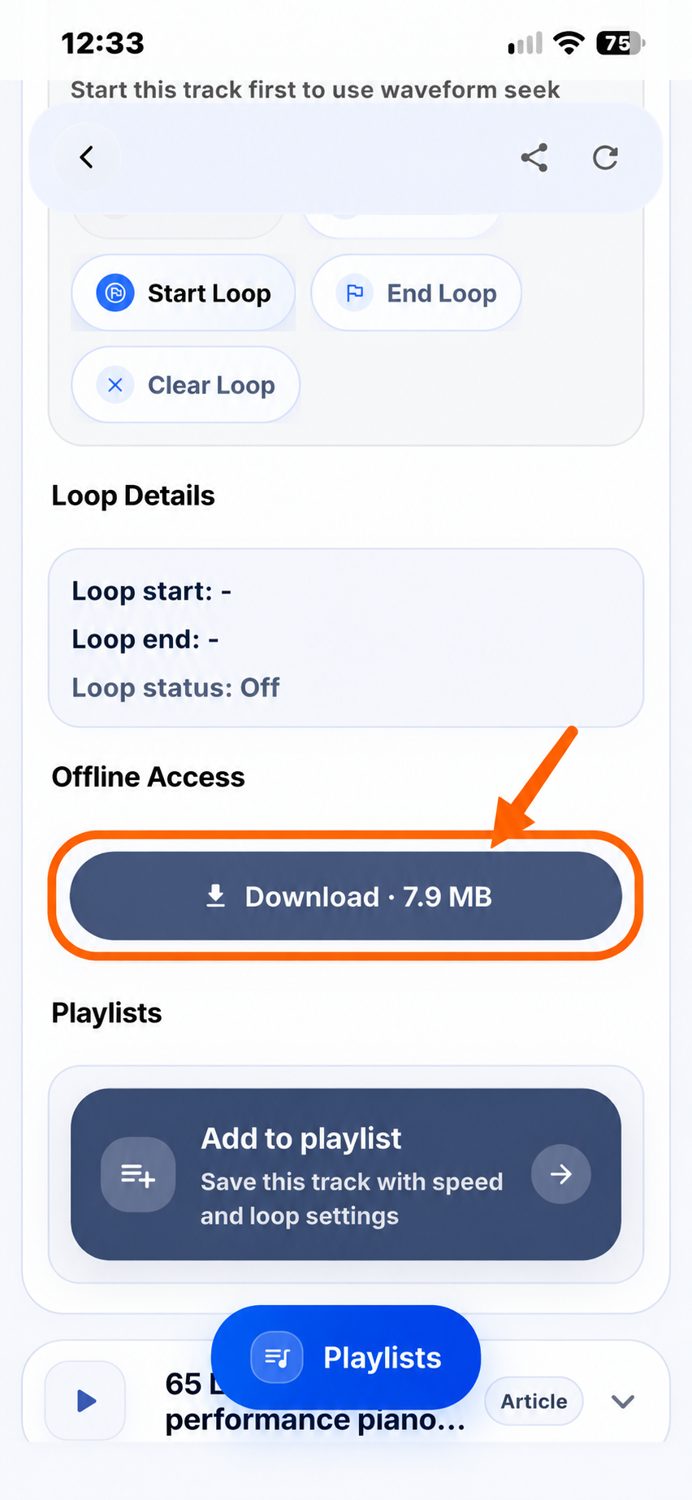
Open an audio track in the IMTEX app.
Scroll down to Offline Access.
Tap Download.
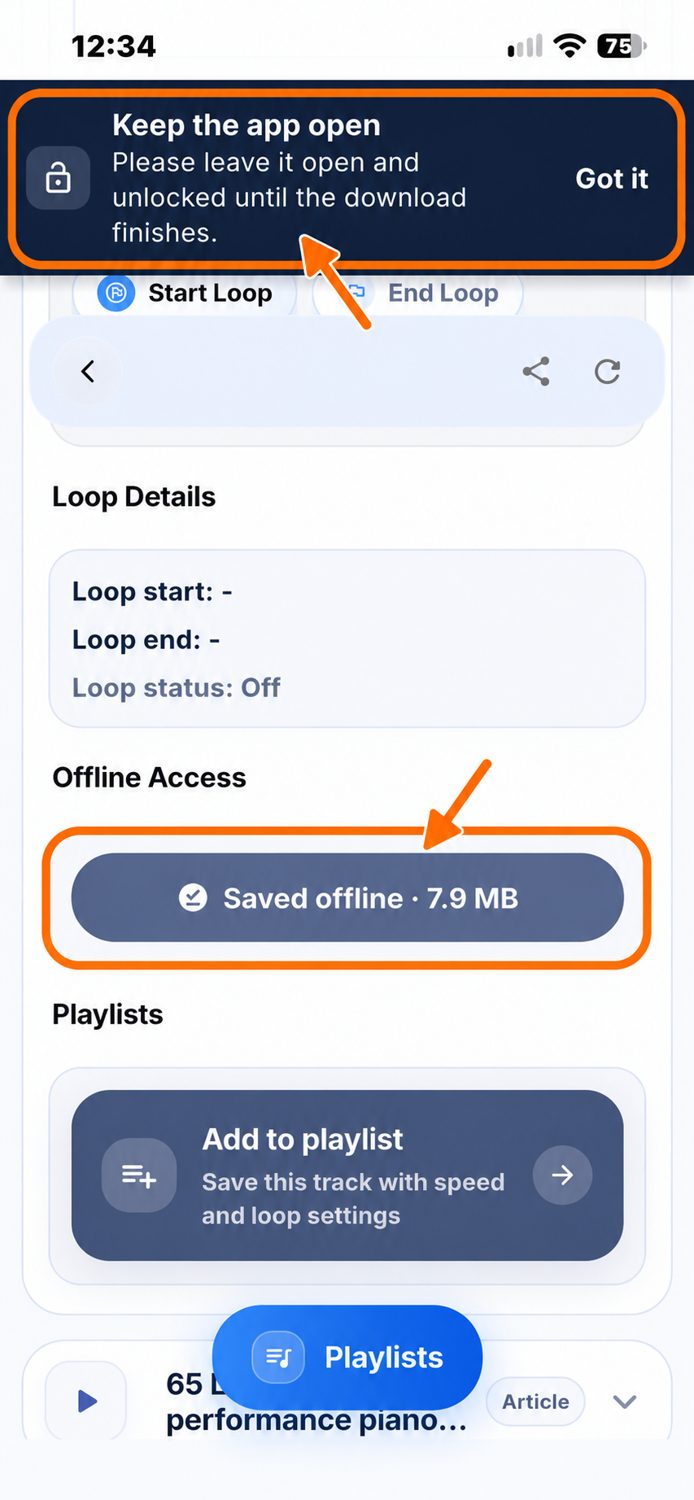
Keep the app open and your device unlocked until the download finishes.
When the download is complete, the button changes to Saved offline.
You can play downloaded audio tracks without an internet connection:
- In the Media Library: Open the track as usual.
- In your playlists: If you have added the track to a playlist, you can also play it there.
Only audio tracks that have been downloaded are available offline. Adding a track to a playlist does not download it automatically.
Your downloaded audio tracks remain saved on your smartphone or tablet until you delete them.
They are not automatically deleted after 5 days.
The IMTEX app needs an internet connection at least once every 5 days to keep you signed in.
If you remain offline for more than 5 days, the app will automatically sign you out.
Simply connect to the internet and sign in again.
You do not need to download your audio tracks again!