
IMTEX APP GUIDE
Change the Playback Speed
Find the right tempo for your practice.
Quick Guide
- Open the track you want to practice.
- Scroll down to Speed and find Playback speed.
- Tap the arrow and choose a speed.
- Play the track at the selected speed.
Detailed Instructions and Screenshots
You can slow down or speed up a recording to find the right tempo for your practice.
Open the music or exercise you want to practice.
Scroll down to Speed and find Playback speed.
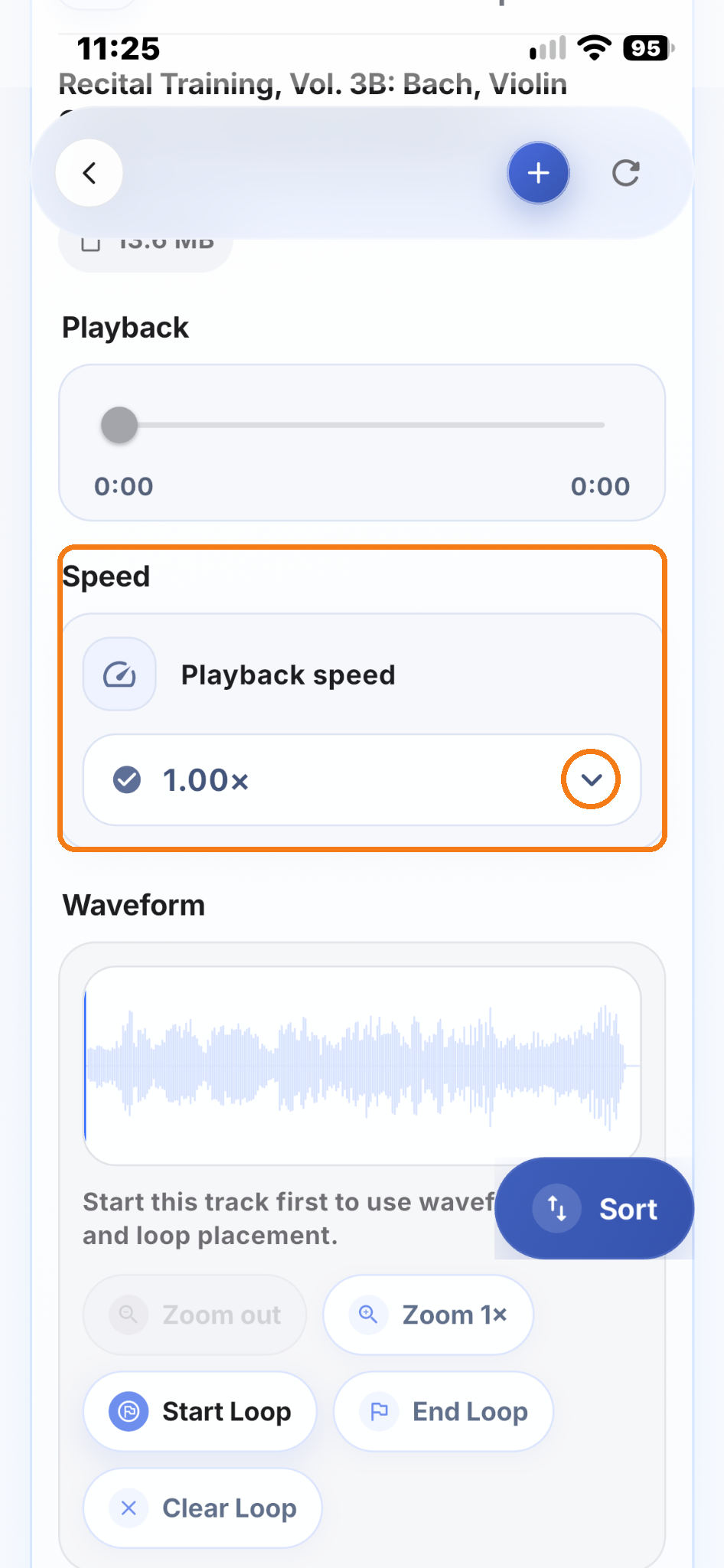
Tap the arrow on the right side to open the speed menu.
Choose the speed you want:
- 0.50× – Half speed
- 0.75× – Slower
- 1.00× – Original speed
- 1.25× to 2.00× – Faster
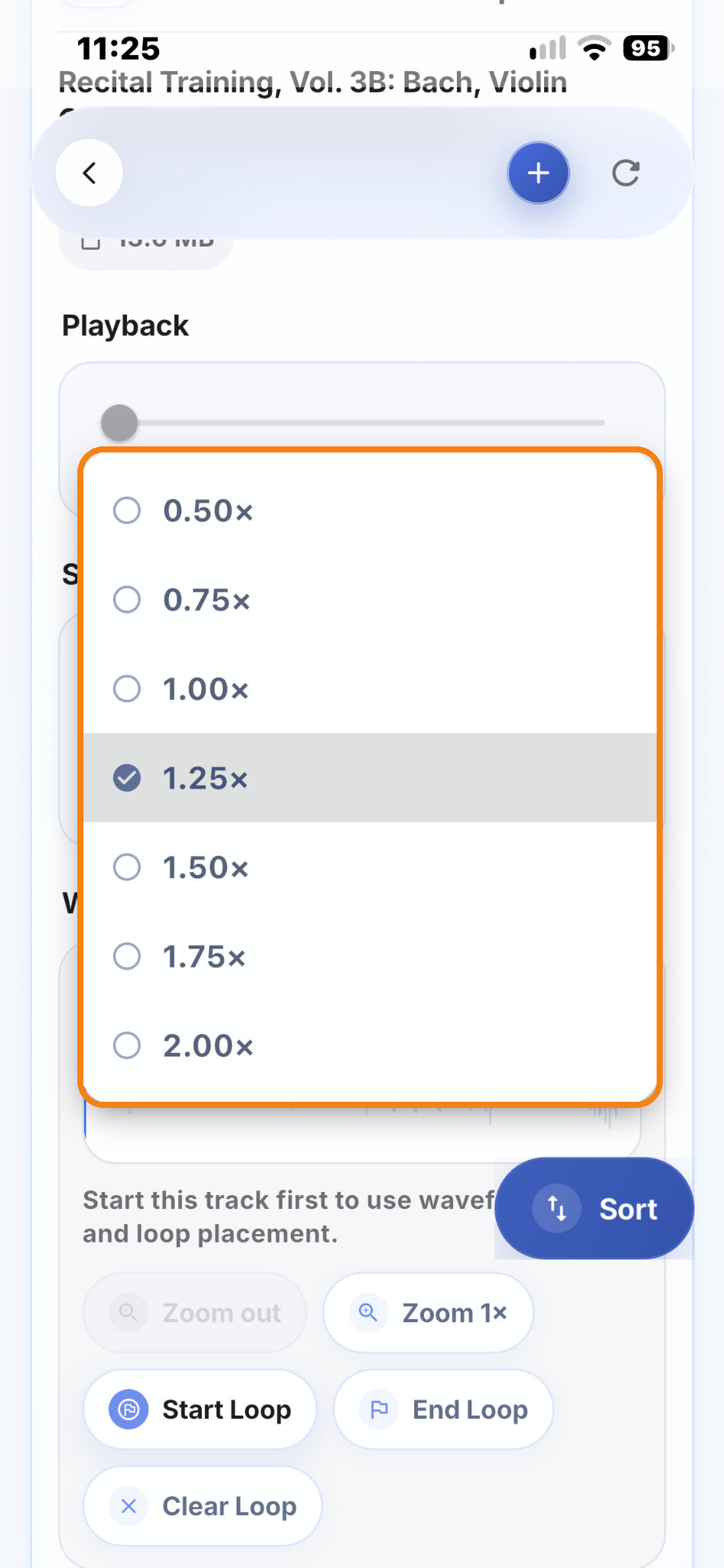
Play the track at the selected speed.
You can change the speed again whenever you need to.
Practice Tip
Start slowly when learning a new piece or a difficult passage. Increase the speed step by step until you reach the original tempo.
Even at a very slow tempo, pay attention not only to technical accuracy, but also to clear phrasing and a beautiful tone.
Make every repetition a musical experience. At every tempo, enjoy the music and play with expression and musical life.