
IMTEX APP GUIDE
Speed Control
Find the right tempo for your practice.
1 Open a Track
Open the music or exercise you want to practice.
2 Find Playback Speed
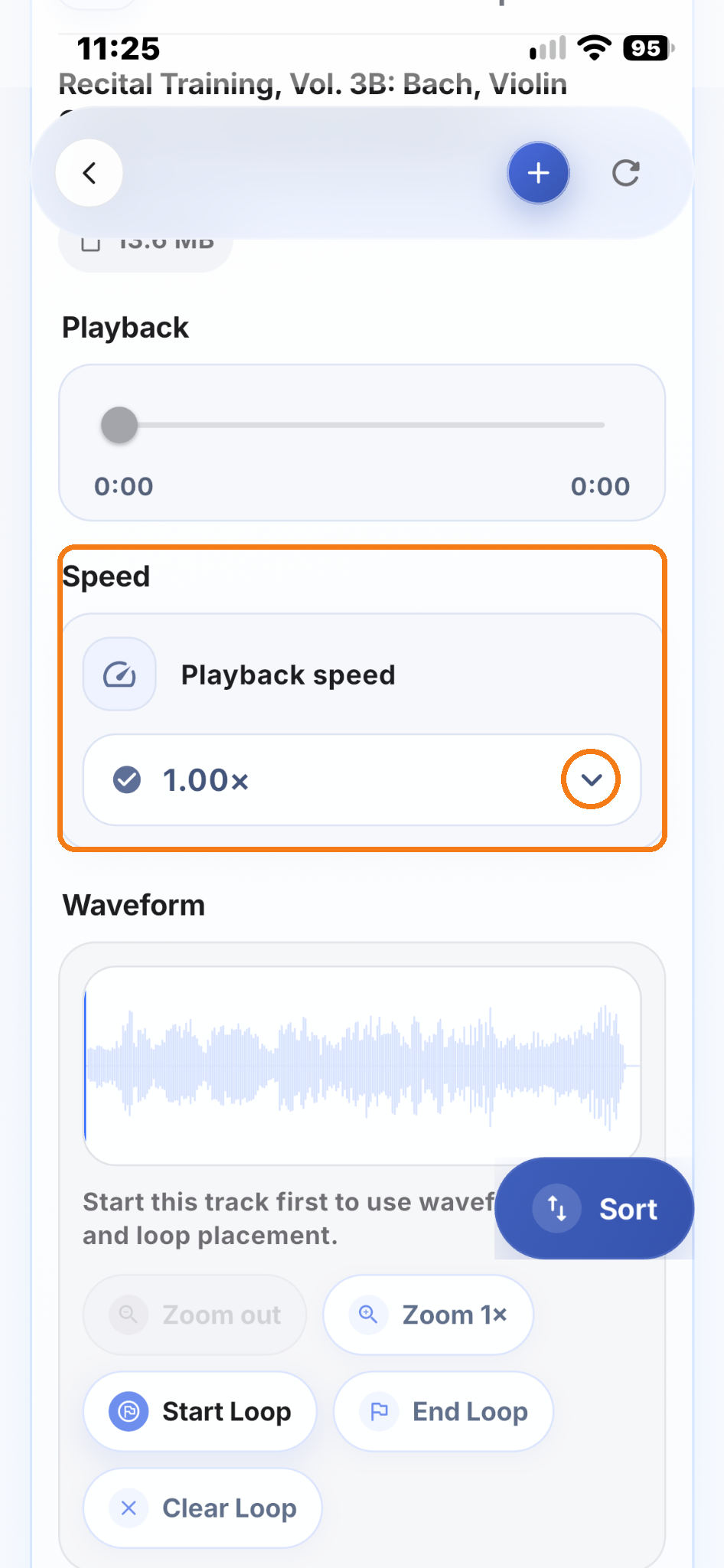
Scroll down to Speed and find Playback speed.
3 Choose a Speed
Tap the arrow on the right side to open the speed menu.
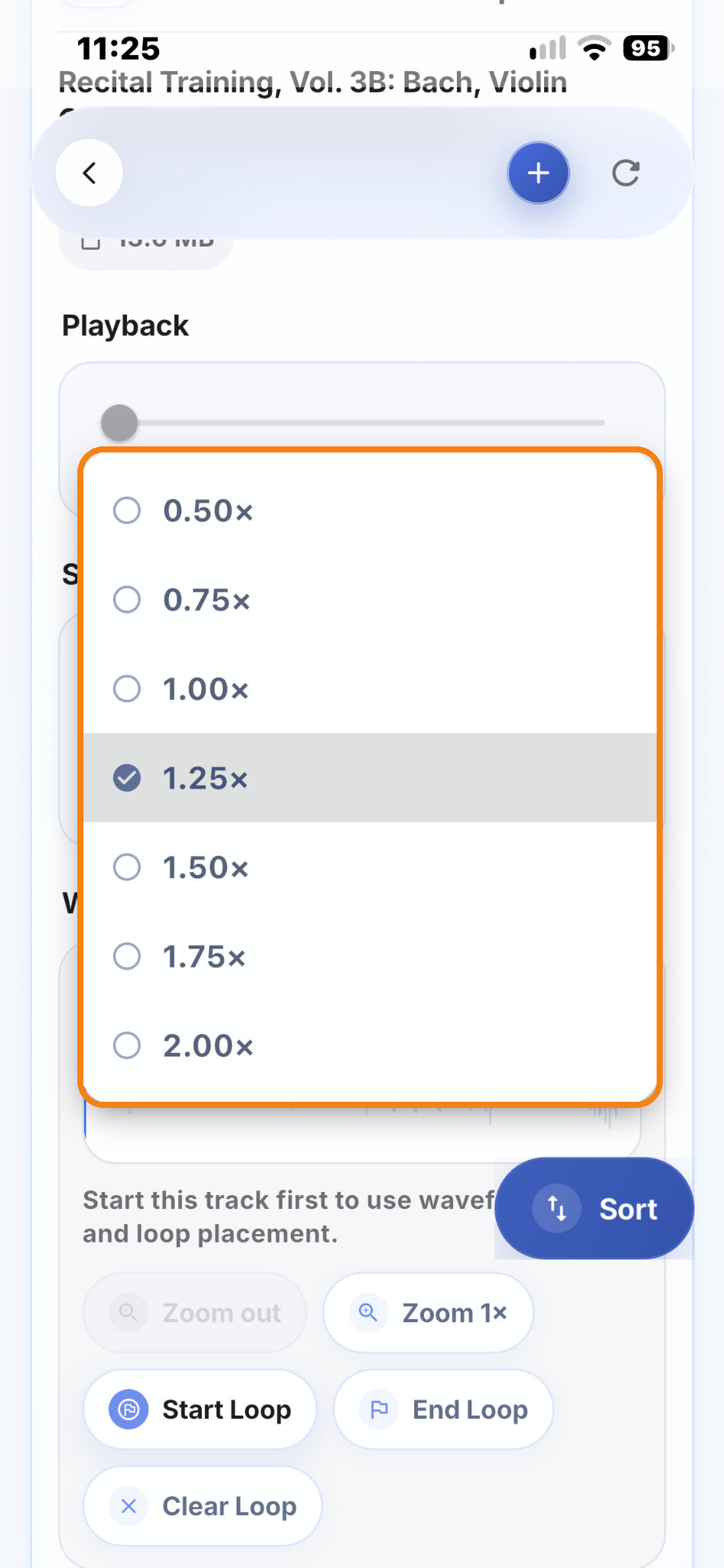
Choose the speed you want:
- 0.50× – Half speed
- 0.75× – Slower
- 1.00× – Original speed
- 1.25× to 2.00× – Faster
4 Start Practicing
Play the track at the selected speed.
You can change the speed again whenever you need to.
Practice Tip
Start slowly when learning a new piece or a difficult passage. Increase the speed step by step until you reach the original tempo.
Even at a very slow tempo, pay attention not only to technical accuracy, but also to clear phrasing and a beautiful tone.
Make every repetition a musical experience. At every tempo, enjoy the music and play with expression and musical life.