
IMTEX APP GUIDE
Share the Student Key
Give your students access to the IMTEX Media Library.
Quick Guide
- Open the IMTEX App and tap Playlists.
- Tap Student login to find your Student Key.
- Send the Student Key to your students or their parents by WhatsApp or email.
Detailed Instructions and Screenshot
With a Studio or School license, you can give your students access to the IMTEX Media Library and the playlists you have prepared for them.
Open the IMTEX App and tap Playlists.
Tap Student login to find your Student Key.
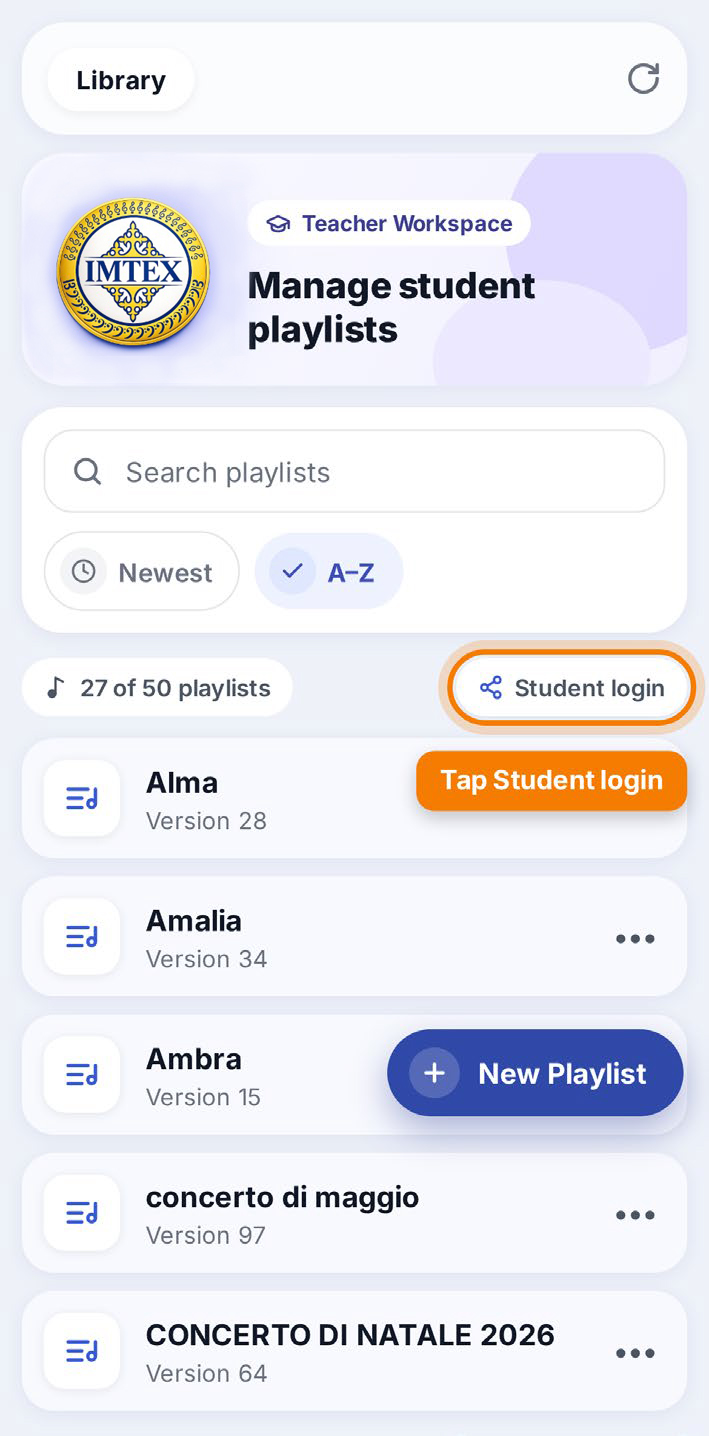
Send the Student Key to your students or their parents, for example by WhatsApp or email.
Students can use this key to sign in to the IMTEX App.
What Can Students Access?
Students can access the IMTEX Media Library and all playlists created by their teacher. The playlists are displayed in alphabetical order.
Students can listen to and practice with the materials, but they cannot edit the teacher's playlists or access the teacher's account information.
Important: The Student Key is available with Studio and School licenses, not with the Basic license. Never share your teacher account email and password with students.