
IMTEX APP GUIDE
Share the Student Key
Give your students access to the IMTEX Media Library.
1 Open Playlists
Open the IMTEX App and tap Playlists.
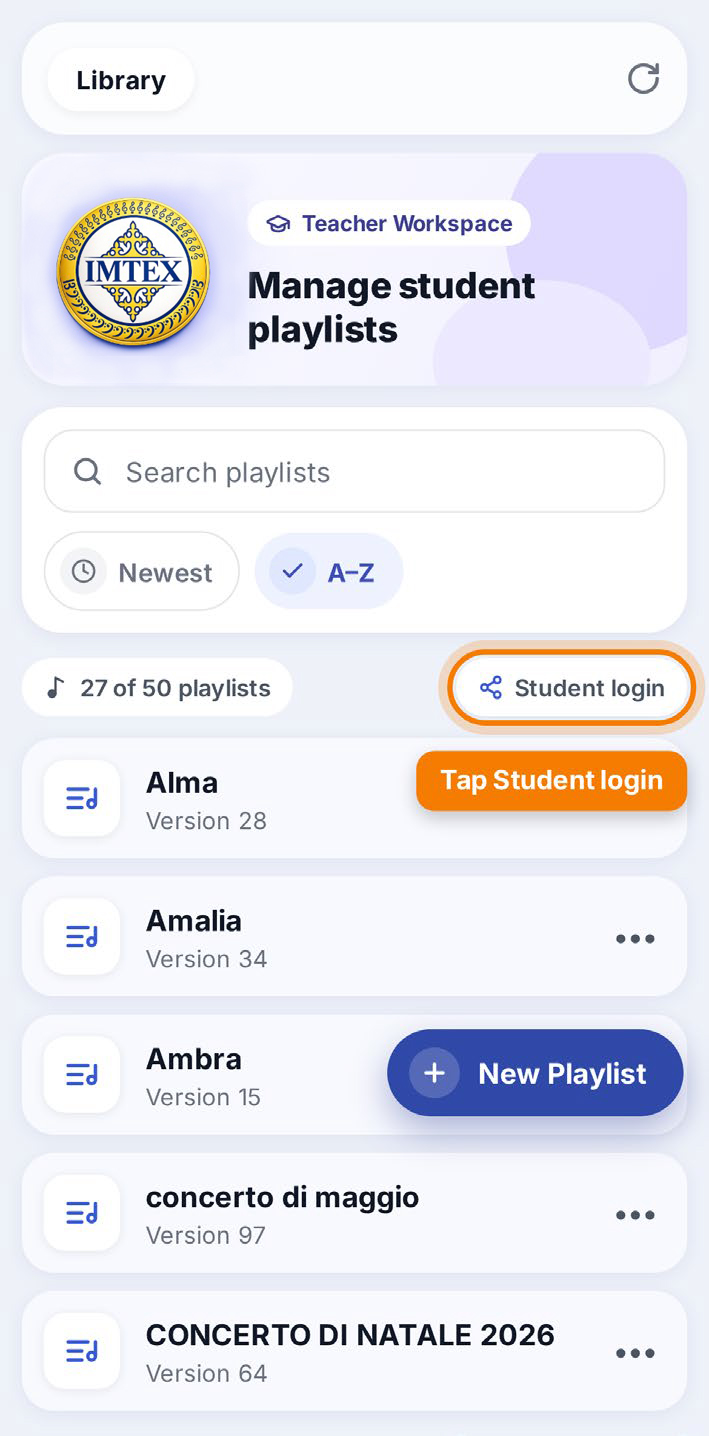
2 Tap Student Login
Tap Student login to find your student key.
3 Share the Student Key
Send the student key to your students or their parents, for example by WhatsApp or email.
Students can use this key to sign in to the IMTEX App.
What Can Students Access?
Students can access the IMTEX Media Library and all playlists created by their teacher. The playlists are displayed in alphabetical order.
Students can listen to and practice with the materials, but they cannot edit the teacher's playlists or access the teacher's account information.
Important: The student key is available with Studio and School licenses, not with the Basic license. Never share your teacher account email and password with students.