IMTEX APP GUIDE
Sort Tracks in a Playlist
Arrange the tracks in your preferred order.
Quick Guide
- Open the playlist you want to organize.
- Tap the blue Sort button.
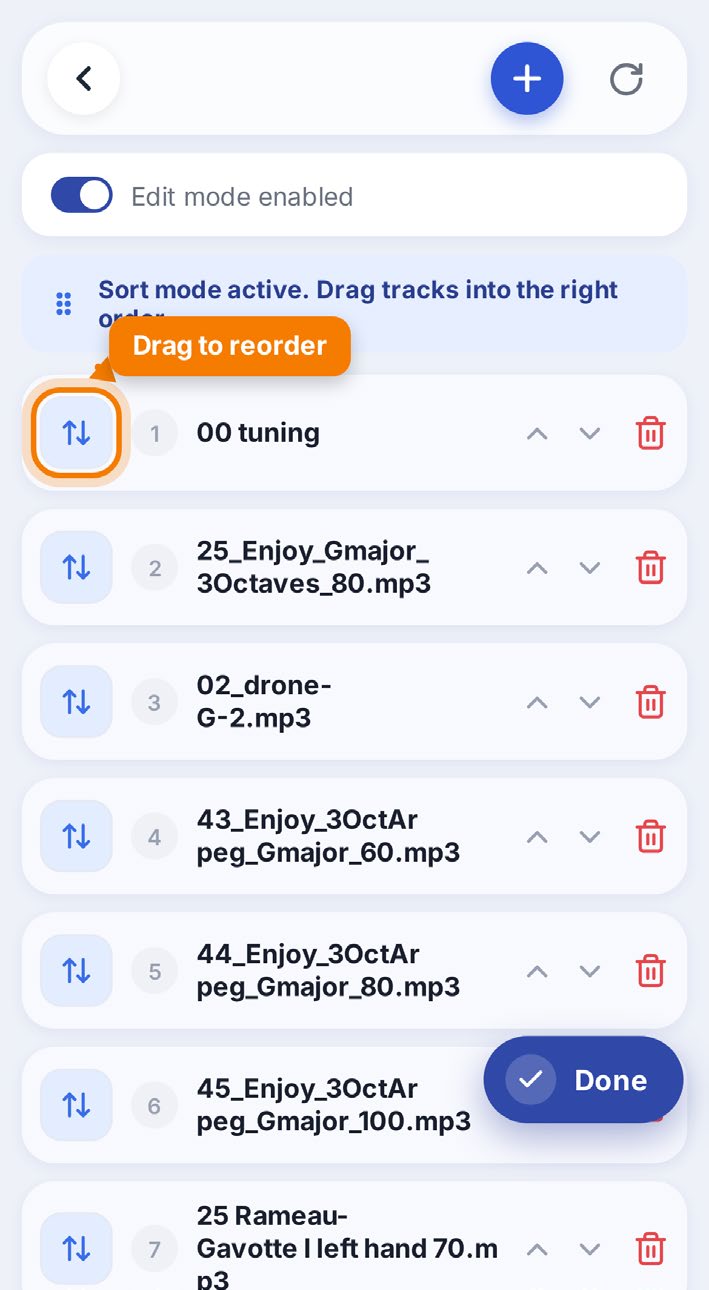
- Touch and hold a track, then drag it to a new position.
- Tap Done to save the new order.
Detailed Instructions and Screenshot
Follow these steps to arrange the tracks in your playlist in the order you prefer.
1 Open a Playlist
Open Playlists and select the playlist you want to organize.
2 Tap Sort
Tap the blue Sort button to change the order of your tracks.
3 Move the Tracks
Touch and hold a track, then drag it up or down to the position you want.
4 Tap Done
Tap Done to save the new order of your tracks.