IMTEX APP GUIDE
Remove a Track from a Playlist
Remove tracks you no longer need.
Quick Guide
- Open the playlist you want to edit.
- Tap the blue Sort button.
- Find the track you want to remove.
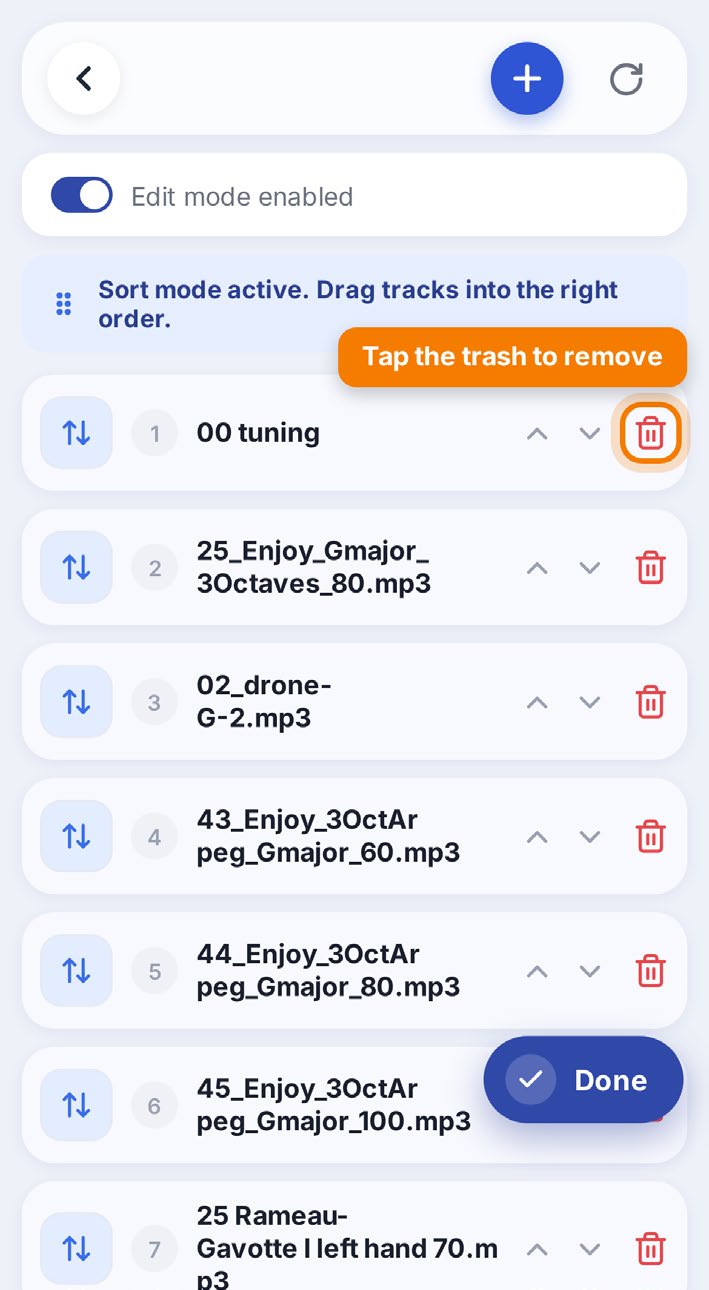
- Tap the red trash icon next to the track.
Detailed Instructions and Screenshot
Follow these steps to remove a track you no longer need from your playlist.
1 Open a Playlist
Open Playlists and select the playlist you want to edit.
2 Tap Sort
Tap the blue Sort button to open the editing mode.
3 Find the Track
Find the track you want to remove from your playlist.
4 Remove the Track
Tap the red trash icon to the right of the track title.