IMTEX APP GUIDE
Remove a Track from a Playlist
Remove tracks you no longer need.
1 Open a Playlist
Open Playlists and select the playlist you want to edit.
2 Tap Sort
Tap the blue Sort button to open the editing mode.
3 Find the Track
Find the track you want to remove from your playlist.
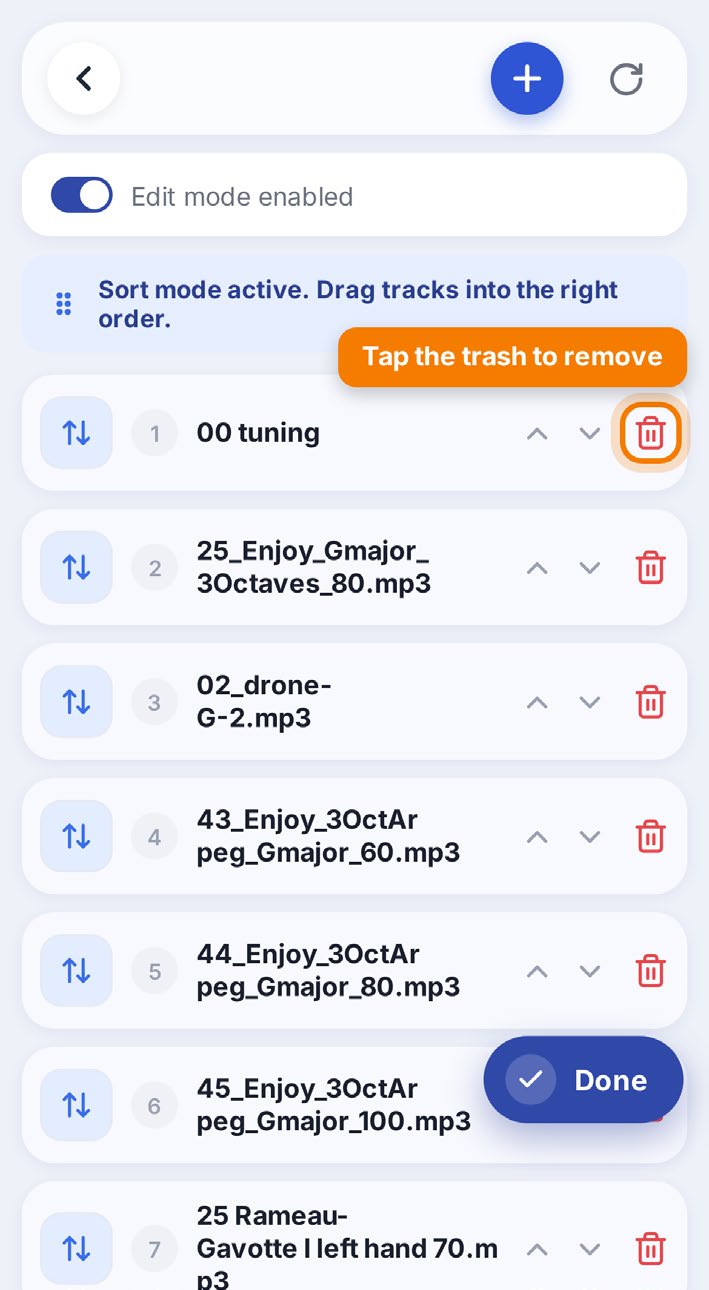
4 Remove the Track
Tap the red trash icon to the right of the track title.