
IMTEX APP GUIDE
Add a Personal Note for the Student
Give your students individual instructions for their daily practice.
Who Can Use Personal Notes?
Personal notes are available with all IMTEX licenses.
With a Basic license, you can add notes to your own playlists for personal use. With a Studio or School license, teachers can also create playlists for individual students, add personal practice notes, and share these playlists with their students.
Open the IMTEX App and go to Playlists.
Select the playlist you have created for your student, or open your own playlist if you have a Basic license.
Tap the piece or exercise for which you want to write a personal practice note.
Scroll down to Teacher Notes.
Tap the text field and write a short instruction.
EXAMPLE PRACTICE NOTE
Play with quick, short bow strokes and stop after each note.
Tap Save note to save your practice instruction.
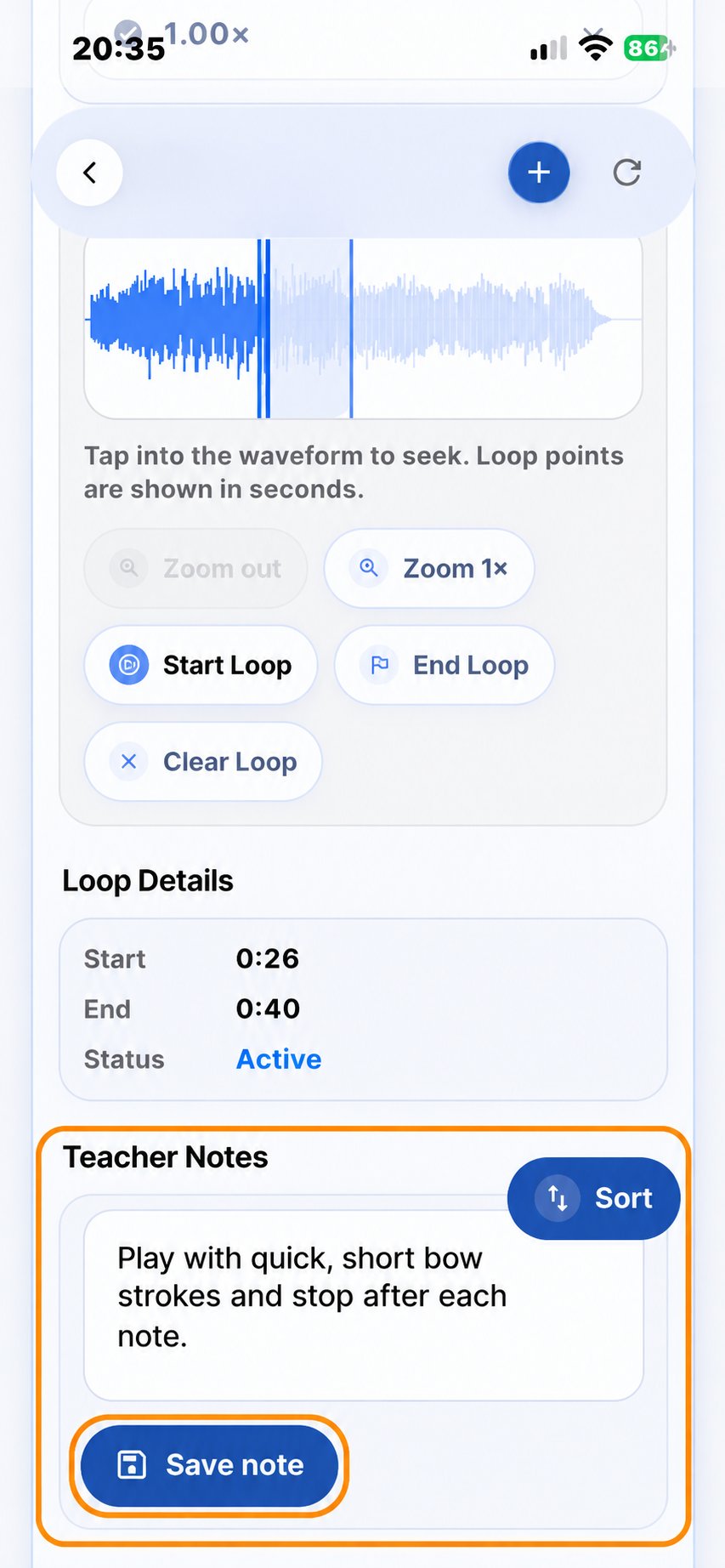
Important: Always tap Save note after writing or changing your instruction. Otherwise, the new note will not be saved and your student will not be able to see it.
With a Studio or School license, teachers can share the individual playlists they have prepared for their students, including personal practice notes, using the Student Key.
For step-by-step instructions, see Guide 08 – Share the Student Key.
Practice Tip
Personal notes are most helpful when they are short, clear, and focused.
Choose one or two important points for the next practice session instead of giving too many instructions at once.